

Cybersecurity
Cybersecurity Is More Than Just Firewall Protection.
A firewall protects one front. Attacks arrive through endpoints, email, Microsoft 365, identities, credentials, remote access and people. Mayer Networks designs and operates a layered security standard across identify, protect, detect, respond and recover, including the recovery capability that decides the outcome once prevention has already failed.
The standard
Mayer Networks Has Set a Higher Bar for Protection.
We do not believe a modern managed environment should depend on any single control. Attacks arrive through endpoints, email, Microsoft 365, identities, credentials, remote access and applications, and a control that covers one of those fronts cannot cover the rest.
What we do not consider a security posture
- Antivirus alone
- A firewall alone
- Passwords alone
- Email filtering alone
- Backups alone
- One monitoring tool alone
Our job is not simply to install security products. Our job is to design and operate a posture where multiple controls reinforce one another, so a failure in one place is caught somewhere else. This is the level of protection Mayer Networks believes organizations should work toward, applied at the pace and budget the organization can carry.
Coordinated layers, operated by one accountable team.
The same engineers who run your managed IT and network infrastructure operate the security controls, which is the difference between a product being licensed and a control being enforced.
The lifecycle
Identify. Protect. Detect. Respond. Recover.
Cybersecurity is not a purchase, it is a cycle that is run continuously. Each stage assumes the one before it will eventually be beaten, which is what keeps the posture honest.
Stage 1
Identify
Understand what exists, what is critical and where risk lives.
- Users and identities
- Endpoints and servers
- Microsoft 365 and applications
- Networks and remote access
- Critical data
- Vulnerabilities and exposure
Security starts with knowing what must be protected.
Stage 2
Protect
Controls placed on each front an attacker can reasonably use.
- Next-generation firewalls
- Intrusion detection and prevention
- EDR and MFA
- Email and identity protection
- Patching and remediation
- Secure configuration and segmentation
Reduce the likelihood of compromise.
Stage 3
Detect
Find suspicious activity that gets past prevention.
- MDR and SOC monitoring
- SIEM correlation
- ITDR and identity alerts
- Endpoint telemetry
- Email-security alerts
- Network visibility
No preventive control is perfect, so detection matters.
Stage 4
Respond
Investigate, contain and coordinate the people involved.
- Investigation and triage
- Endpoint isolation
- Account containment
- Vendor and security-team escalation
- Insurance coordination
- Law enforcement where appropriate
Incidents require deliberate action, not improvisation.
Stage 5
Recover
Return the organization to operating condition.
- Protected recovery copies
- Restore testing
- Replication and failover
- Documented recovery order
- Disaster recovery
- Business continuity
Cybersecurity is incomplete without recovery.
Backup Protects the Data. Disaster Recovery Protects the Operation.
The lifecycle is how we manage risk over time
Identify, Protect, Detect, Respond, Recover. It describes the ongoing work: what is reviewed, what is monitored, what happens when something is found, and how the organization gets back to operating.
The stack is the technical controls used across it
Firewalls, EDR, MDR, SIEM, ITDR, email security, MFA, network visibility and recovery platforms. Each one exists because a specific attack path exists. The stack serves the lifecycle, not the other way around.
Network layer
The Firewall Is Important. It Is Just One Layer.
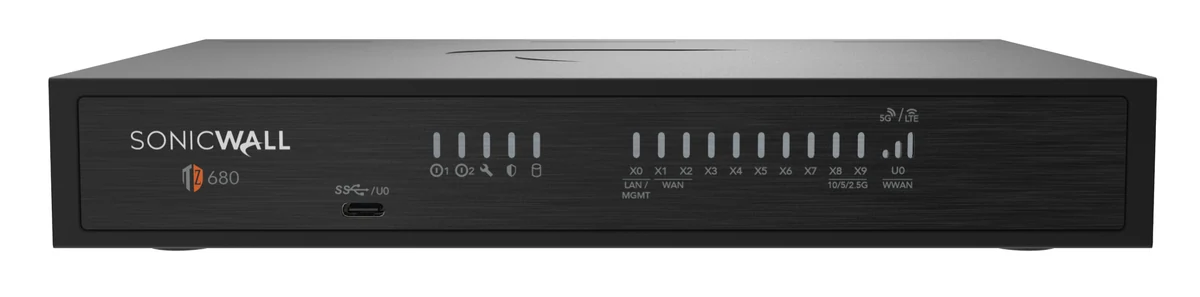
A properly licensed and properly configured next-generation firewall does real work: it inspects traffic, blocks known threats, enforces policy between segments and terminates remote access on controlled terms. Mayer Networks designs and manages that layer as part of the network infrastructure.
What it cannot do is inspect a phishing email a user opens from home, stop a valid credential from signing into Microsoft 365, or notice a legitimate administrative tool being used by someone who should not have it. Those attacks never present themselves at the perimeter.
- Intrusion detection and prevention
- Application awareness
- Traffic and content inspection
- Site-to-site and remote access VPN
- Segmentation between networks
- Logging for investigation

The stack
The Mayer Networks Security Stack
Each control below exists because a different attack path exists. Read it as an architecture rather than a product list: remove one layer and a specific category of attack stops being covered by anything.
Network security
Next-generation firewalls
The perimeter control that inspects traffic, enforces policy and terminates secure remote connectivity.
- Intrusion detection and prevention
- Application awareness and traffic inspection
- Threat filtering and content control
- VPN and secure remote access
- Segmentation and policy enforcement
- Logging and visibility
Endpoint security
SentinelOne EDR

Endpoint detection and response watches behaviour on the device rather than matching known malware signatures.
- Continuous endpoint telemetry
- Behavioral detection of malicious activity
- Isolation and containment of a compromised device
- Investigation and rollback support
Managed detection and response
SentinelOne Vigilance MDR
Alerts only matter if someone is watching them. Vigilance adds specialized around-the-clock SOC monitoring and investigation behind the endpoint platform.
- 24/7 SOC monitoring of endpoint detections
- Analyst triage and investigation
- Escalation to the Mayer Networks security team
- Containment guidance during an active event
Security information and event management
Huntress SIEM
Centralizes security-relevant logs and correlates activity across systems so isolated events can be seen as one pattern.
- Log centralization across systems
- Correlation of related activity
- Retention for investigation
- Supporting evidence during response
Identity threat detection and response
Huntress ITDR
Identity has become one of the most important attack surfaces, because a valid credential rarely looks like malware.
- Compromised credential detection
- Suspicious authentication activity
- Abnormal identity behaviour
- Persistence techniques in the tenant
- Account abuse and privilege misuse
Email security
Avanan by Check Point

Email remains one of the most common paths into an organization, and filtering has to understand context rather than only attachments.
- Phishing and credential harvesting
- Malicious links and attachments
- Impersonation and business email compromise
- Spam and bulk nuisance mail
Multi-factor authentication
Duo and Microsoft MFA

A stolen password should not automatically result in account access. MFA is the single highest-value control most organizations are still missing somewhere.
- MFA on email, remote access and administrative accounts
- Microsoft Entra Conditional Access where appropriate
- Coverage for legacy and vendor access paths
Network visibility
Auvik
Not a security product by itself. Visibility is operational awareness: knowing what is connected and what changed is what makes the rest supportable.
- Inventory of connected infrastructure
- Monitoring of network devices
- Change and configuration awareness
- Faster diagnosis during an event
Recovery
Cove, Datto and Veeam
Security controls reduce the likelihood of compromise. Recovery controls reduce the impact when prevention fails.
- Protected offsite backup copies
- Restore testing and validated recovery points
- Replication of critical workloads
- Disaster recovery and failover where the requirement justifies it
Platform names are shown because the architecture is specific rather than generic. Which controls apply to a given organization depends on the environment, the agreement and the risk being managed.
Attack paths
Attackers Only Need One Path In.
Incidents rarely begin with someone breaking through a firewall. They begin on whichever front had the weakest control, and most organizations have more fronts than they realize.
Stolen credentials
Reused or breached passwords used to sign in legitimately.
Phishing
A convincing message that harvests a login or an MFA approval.
Malicious email
Attachments and links that execute before anyone questions them.
Compromised Microsoft 365 accounts
Mailbox rules, data access and internal-looking fraud.
Vulnerable or unpatched systems
Known exploits against software nobody updated.
Remote-access tools
Services exposed for a vendor years ago and never removed.
Identity abuse and privilege escalation
Ordinary access turned into administrative access.
Lateral movement
One workstation used as the route to the servers.
Social engineering
A phone call or text that convinces a person to help.
The goal is to protect every front we reasonably can without preventing employees from doing their jobs.
Readiness
Plan for When Something Happens, Not If.
Strong cybersecurity reduces risk. It does not eliminate it. An organization that has decided in advance how it will respond loses hours during an incident. An organization that has not loses days, usually while the people who should be containing the problem are still deciding who is in charge.
The worst time to decide how to respond is during the incident.

Decided before the incident
- Who makes decisions
- Who communicates internally and externally
- Who contacts the cyber insurer
- Who contacts law enforcement where appropriate
- Who isolates systems
- Who coordinates vendors and applications
- What gets restored first
- How employees operate during an outage
- How public services continue where applicable
Recovery
Cybersecurity Is Not Complete If You Cannot Recover.
If ransomware encrypts systems, an attacker destroys virtual machines, credentials are abused or data is maliciously deleted, the recovery architecture stops being an IT chore and becomes an active part of the incident response.
Prevent
EDR, firewall, MFA, email security
Detect
MDR, SIEM, ITDR
Respond
Containment, investigation, incident response
Recover
Backup, disaster recovery, failover
Backup Protects the Data. Disaster Recovery Protects the Operation.
Restoring files answers one question. Whether critical operations can keep running while the production environment is rebuilt is a different question, and it is answered by architecture decided long before the incident. See Backup & Data Protection and Disaster Recovery & Failover.
Insurance
Cyber Insurance Is Important, But It Is Not a Substitute for Cybersecurity.
Even well-run organizations experience incidents, and insurance can reduce financial exposure when one happens. What has changed is that insurers now evaluate the controls an organization actually operates rather than accepting a signature on a form.
Areas underwriters commonly ask about
- Multi-factor authentication
- Endpoint detection and response
- Backup and tested recovery
- Patching and vulnerability management
- Incident-response planning
- Email security
- Access controls and privileged accounts
- Security monitoring
Better controls can put an organization in a stronger position during underwriting.
We do not promise a specific premium reduction and we do not guarantee coverage. Those are decisions for the insurer and the broker.
Where Mayer Networks helps
- Understand the technical questions on insurance applications
- Document the security controls actually deployed
- Identify gaps before renewal rather than after a claim
- Implement the controls the organization decides to add
- Coordinate technical information with brokers where appropriate
The answers on the cyber insurance application should match what is actually deployed.
Exposure
The Cost of an Incident Is Bigger Than the Ransom.
The line item people picture is a payment demand. The costs that actually accumulate are operational, and most of them continue for weeks after the technical work is finished.
- Employee downtime
- Lost productivity across departments
- Forensic investigation
- Emergency technical response
- Legal expenses
- Insurance deductibles
- Notification obligations
- Data restoration effort
- Hardware replacement or rebuild
- Lost revenue
- Reputational damage
- Interrupted public services
- Vendor and regulatory obligations
Cybersecurity spending is not about buying software. It is about reducing operational and financial exposure to an event that has to be paid for one way or another.
Evidence
Cybersecurity in the Real World
These are the authoritative public sources behind the argument on this page. They are worth reading directly rather than taking a vendor's summary of them.
CISA: #StopRansomware advisories
Joint federal advisories describing how specific ransomware groups gain access, move through networks and pressure victims, with the mitigations that would have blocked them.
FBI Internet Crime Complaint Center
Annual reporting on business email compromise, ransomware and credential theft, including losses reported by businesses and public-sector organizations.
MS-ISAC
Threat intelligence and advisories focused specifically on state, local, tribal and territorial government environments.
CISA cybersecurity advisories
Current advisories on actively exploited vulnerabilities, which is frequently the difference between patching this month and patching eventually.
Operations
Security Tools Need People Watching Them.
Every platform on this page produces alerts. An unattended console produces alerts too, right up until the week someone finally reads it. The value of a security stack is in what happens in the minutes after a detection fires.
- Monitored
- Prioritized
- Investigated
- Correlated
- Escalated
- Acted upon
Software detects. People decide what to do next.

The team
A Security Stack Needs an Operating Team Behind It.
Mayer Networks maintains its own security team responsible for overseeing and managing security tooling across client environments. Depending on the client's agreement and the security design chosen, that work can include:
- Reviewing alerts across client environments
- Responding to escalations from monitoring platforms
- Managing security policies and configuration
- Investigating suspicious events
- Coordinating with SOC providers
- Managing endpoint protection deployments
- Reviewing identity alerts
- Maintaining email-security controls
- Coordinating incident response
- Keeping backup and recovery inside the security posture
We also use specialized external SOC resources where they add capability we should not attempt to replicate, including SentinelOne Vigilance for around-the-clock monitoring and response behind the endpoint platform. Specific response commitments are defined in the client's agreement rather than assumed from a web page.
Public sector
Government Cybersecurity Requires Constant Threat Awareness.
Public-sector environments are targeted deliberately, carry obligations a business does not, and are expected to keep delivering services while an incident is being handled.
- Ransomware against county and municipal systems
- Credential theft and targeted attacks
- Public-facing services that cannot simply go dark
- Law-enforcement systems and CJIS obligations
- Election-related risk and scrutiny
- Vendor dependencies on line-of-business applications
- Legacy applications that cannot be replaced quickly
- Continuity obligations to residents
- Limited internal staffing
Mayer Networks follows cybersecurity advisories and threat intelligence relevant to government clients, including material published by CISA and by MS-ISAC, which focuses specifically on state, local, tribal and territorial government environments. We are not CISA or MS-ISAC and we do not speak for them. We use their authoritative public-sector intelligence to stay aware of threats affecting the agencies we support.

People
Employees Are Part of the Security Perimeter.
Users are targeted because it works, not because they are careless. The objective is to make suspicious activity easy to recognize and, more importantly, easy to report without anyone worrying they will be blamed for asking.
How employees get targeted
- Phishing
- Credential harvesting
- Social engineering
- Business email compromise
- Malicious attachments
- MFA fatigue and approval prompts
What we help organizations improve
- Security awareness education
- Clear reporting procedures
- Phishing recognition practice
- Policy that people can actually follow
- Communication during an incident
How incidents actually start in organizations this size
The incidents we are called into rarely begin with sophisticated malware. They begin with a credential that worked: a mailbox reached from an unexpected country, a remote access service exposed to the internet because a vendor asked for it years ago, or a password reused from a breach that has nothing to do with the organization. From there the attacker uses ordinary administrative tools, which is precisely why antivirus alone does not notice.
That pattern determines where the money goes. Multi-factor authentication on email, remote access and administrative accounts removes the largest category. Endpoint detection that a person monitors catches the behaviour that follows. Backups placed outside the reach of production credentials determine whether a bad week becomes a bad quarter.
Recovery is treated as a security control here rather than an IT chore, because it is the control that decides the outcome once prevention has already failed. Recovery copies are held in protected offsite backup resources, immutable or otherwise protected depending on the platform and configuration selected for the environment, so a restore does not depend on media at the site that had the incident. Where an organization needs faster operational recovery than a restore provides, replication and failover into Mayer Networks disaster-recovery infrastructure can be designed as a separate layer. Backup protects the data. Disaster recovery restores the operation.
Why Mayer Networks
- Security is operated by the same team that maintains the environment, so controls actually get deployed
- Protected offsite backup, with replication and failover into Mayer Networks disaster-recovery infrastructure available where the requirement justifies it
- Government and regulated-industry experience, including coordination with public-sector cybersecurity resources
- Responsive remote and onsite support from engineers based in Southern Illinois, not a queue in another time zone.
Security considerations
- No claim of perfect prevention, controls are layered to reduce risk
- Recovery capability treated as a security control
- Least privilege applied to administrative access
- Documented response expectations before an incident occurs
What does MDR do?
Managed detection and response combines security tooling with human analysis. Suspicious activity generates alerts that are investigated, and confirmed threats trigger containment actions such as isolating an endpoint.
Is antivirus enough?
No. Traditional antivirus detects known malware. Modern attacks frequently use valid credentials and legitimate tools, which is why identity protection, detection and response matter.
Will cybersecurity stop every attack?
No responsible provider will claim that. The realistic goal is to make compromise much less likely, detect it quickly, respond effectively and recover reliably.
Do you help with cyber insurance questionnaires?
Yes. We help clients answer questionnaires accurately and identify what must change to meet insurer requirements.
Is a firewall enough to protect our organization?
No. A next-generation firewall is an important layer and we design and manage it, but it cannot inspect a phishing email opened from home, stop a valid credential from signing into Microsoft 365, or notice legitimate administrative tools being used by an attacker. Those paths never reach the perimeter.
Who watches the alerts?
The Mayer Networks security team, supported by specialized around-the-clock SOC resources such as SentinelOne Vigilance behind the endpoint platform. Specific monitoring and response commitments are defined in the client agreement.
What should we do first?
For most organizations: multi-factor authentication everywhere, tested backups with an immutable or offsite copy, and endpoint detection that someone is actually watching.
Do you work with our cyber insurer during an incident?
Yes. Insurers frequently direct incident response, and we coordinate with their approved responders.
Related services
- CybersecurityMDR & Security MonitoringManaged detection and response combines security tooling with people who investigate what it finds. Mayer Networks monitors endpoint, identity and log activity so suspicious behavior is examined quickly and confirmed threats are contained.
- CybersecurityEndpoint SecurityEndpoint security protects the computers and servers where most compromises begin. Mayer Networks deploys and manages endpoint protection and EDR so malicious behavior is blocked, recorded and investigated.
- CybersecurityMFA & Identity ProtectionIdentity is the modern perimeter. Mayer Networks implements multi-factor authentication, conditional access, privileged account separation and identity monitoring so a stolen password is not enough to enter your systems.
- CybersecurityEmail SecurityEmail remains the most common entry point for attacks. Mayer Networks layers filtering, domain authentication, identity protection, encryption and user training to reduce phishing and business email compromise.
- CybersecurityVulnerability ManagementVulnerability management is the ongoing work of finding known weaknesses in systems, prioritizing them by real risk and closing them through patching or configuration change.
- CybersecurityIncident ResponseWhen something goes wrong, response is about sequence: contain the damage, understand what happened, coordinate the right parties and restore operations from protected backups.
- Managed ITBackup & Data ProtectionMayer Networks protects critical business and government systems with managed backup, protected offsite copies, restore testing, and disaster-recovery options designed around how quickly the organization needs to recover. For organizations that cannot tolerate extended downtime, we can go beyond backup and design replication and failover so critical workloads stay available even when production infrastructure is not.
- GovernmentGovernment CybersecurityPublic-sector organizations are targeted because they hold sensitive data and must keep operating. Mayer Networks applies the identify-protect-detect-respond-recover lifecycle to government environments, with the documentation and coordination public bodies require.
Let's talk about your technology
Tell us what you are running and what is not working. We will tell you plainly what we would do about it.