Mayer Networks

Cybersecurity

Vulnerability Management

Vulnerability management is the ongoing work of finding known weaknesses in systems, prioritizing them by real risk and closing them through patching or configuration change.

Security lifecycle

  1. Identify (this page)
  2. Protect (this page)
  3. Detect
  4. Respond
  5. Recover

Vulnerability management is an Identify and Protect discipline. It finds known weaknesses and closes them before somebody else finds them. See the full Mayer Networks cybersecurity approach.

What it is

Attackers Frequently Use Weaknesses That Were Already Known.

The majority of successful intrusions do not use an unknown flaw. They use a missing patch, an outdated application, a firewall or VPN appliance running old firmware, an unsupported operating system, a misconfiguration or a service exposed to the internet that nobody remembers enabling.

Vulnerability management is the ongoing work of finding those weaknesses, deciding which ones actually matter in your environment, closing them and verifying the fix landed. It covers operating systems, applications, firmware and configuration, not only Windows updates.

Scanning is easy. Deciding is the work.

The problem it solves

What Vulnerability Management Is There to Stop

These are the conditions that turn a routine attack attempt into an incident.

  • Patching that covers Windows but ignores applications and firmware
  • Unsupported operating systems still running production workloads
  • Firewall, VPN or appliance firmware left at the version it shipped with
  • Internet-exposed services nobody remembers turning on
  • Misconfiguration: default credentials, open shares, excessive permissions
  • A scan report with hundreds of findings and no order of work

How Mayer Networks uses it

How Mayer Networks Approaches Vulnerability Management

This is not simply installing every patch immediately. Business applications and vendor dependencies decide what is safe to change and when.

  • Identify

    Recurring internal and external scanning finds missing patches, weak configurations and exposed services, alongside the asset inventory that comes from managing the environment.

  • Prioritize

    Findings are ranked by exploitability and business impact rather than raw severity counts: what is reachable from outside, what holds sensitive data, what is being exploited in the real world now.

  • Remediate

    Patching and configuration changes are scheduled around operational requirements and agreed change windows, including out-of-hours work where a system cannot go down during the day.

  • Coordinate with vendors

    Line-of-business applications frequently dictate what can be patched. We work the vendor conversation rather than leaving the client between two suppliers.

  • Handle what cannot be patched

    Where an application pins an old component or a vendor no longer issues updates, compensating controls such as segmentation and restricted access are applied and the exception is documented with a review date.

  • Plan replacement

    Unsupported equipment and operating systems become a lifecycle and budget conversation, which is where this connects to Managed IT and procurement planning.

Platform

The Network Layer This Depends On

A large share of the findings that matter sit on the edge and on network equipment, which is why this work is inseparable from how the network is built and maintained.

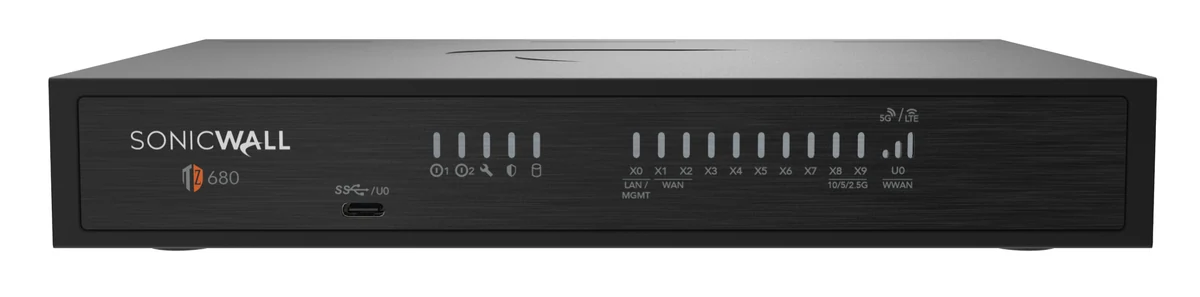
Next-generation firewall

Next-generation firewall

SonicWall, and platform equivalents

Intrusion detection and prevention, application awareness, segmentation, traffic inspection, logging and secure connectivity. Firmware currency and rule review are part of the vulnerability discipline, not a separate task.

Switching, wireless and infrastructure

Firmware and configuration

Switches, access points, servers and hypervisors carry firmware and configuration weaknesses of their own. Managed lifecycle keeps them current instead of frozen at install.

SonicWall next-generation firewall appliance

The firewall is an important layer, not the entire security strategy. It sits alongside endpoint, identity, email and monitoring rather than in front of them.

Layered defence

What Vulnerability Management Does Not Replace

Closing known weaknesses reduces opportunity. It does not address the paths that need no vulnerability at all.

  • MFA and identity protection, because a phished password exploits nothing
  • Email security and user awareness, for attacks aimed at people
  • Endpoint detection, for what happens if something does execute
  • Monitoring, because remediation is never instantaneous
  • Backup and disaster recovery, for the day something gets through anyway

A fully patched environment is still compromised by a working password. Layers, not a single discipline.

Cybersecurity overview: the layered Mayer Networks standard

Lifecycle stage: Identify and Protect

The layers most closely connected to this one. Each covers a front this control does not.

We can scan what is exposed, review patch and firmware status, and give leadership a prioritized list instead of a raw finding count.

Request a Vulnerability Review

Scanning is easy, deciding is the work

A scan produces hundreds of findings and no priorities. Most organizations do not have capacity to remediate all of them and should not try. The useful questions are which findings are reachable from outside, which affect systems holding sensitive data, and which have exploitation happening in the real world now.

Some findings will stay open deliberately: an application that pins an old component, a device the vendor no longer patches. Those get compensating controls and a documented decision with a review date, which is a defensible position. Silence about them is not.

Why Mayer Networks

  • Scanning connected to a team that also performs the remediation
  • Plain-language reporting
  • One organization accountable for support, engineering, security, infrastructure and communications.
  • Responsive remote and onsite support from engineers based in Southern Illinois, not a queue in another time zone.

Security considerations

  • Unsupported systems identified with a replacement plan
  • Change windows agreed with the organization
  • Verification after remediation

Questions

Frequently asked questions

Still have a question? Call 618-529-4922 or send us the details.

How often should we scan?

Most organizations benefit from recurring internal scanning and more frequent external scanning of internet-facing systems.

Is a vulnerability scan the same as a penetration test?

No. Scanning identifies known weaknesses systematically; a penetration test is a manual attempt to exploit them. They serve different purposes.

What if we cannot patch a system?

When an application blocks patching, compensating controls such as segmentation and restricted access reduce exposure while a replacement is planned.

Do you scan cloud services too?

Cloud identity and configuration review is included where applicable, alongside on-premises scanning.

Let's talk about your technology

Tell us what you are running and what is not working. We will tell you plainly what we would do about it.