
Cloud & Infrastructure
Stop Buying Servers Just Because One Application Still Needs One
Many organizations have already moved email, collaboration and files into modern cloud services, and still depend on applications that require Windows Server, SQL Server, Remote Desktop or traditional infrastructure. Mayer Networks provides managed private infrastructure in Carbondale so those systems keep running without the organization purchasing and maintaining another generation of physical server hardware.
Who this fits
- Existing Mayer Networks managed clients, and organizations moving into a managed-services relationship
- Organizations with applications that still require server infrastructure
- Clients trying to eliminate an aging onsite server without replacing the software running on it
- Organizations that need a private hosted Windows environment
- Organizations that need remote desktop or hosted application access for staff across locations
- Organizations that need disaster-recovery infrastructure to fail over to
- Organizations that want one IT partner responsible for both the application environment and the infrastructure underneath it
The problems it removes
- One remaining application is the only reason a physical server is still in the building
- A server replacement quote arrives in the wrong budget year
- Server hardware sits in a room without cooling, power protection or physical security
- Branch offices reach an application across a link it was never designed for
- Infrastructure rented from a hyperscaler still has to be architected, secured, monitored and troubleshot by someone
- There is no practical recovery position if the server room is lost
What the platform covers
- Hosted virtual servers sized to the actual workload
- Hosted line-of-business and vendor-supported applications
- SQL and database hosting placed beside the application it serves
- Hosted desktops, Remote Desktop Services and published applications
- File, print, domain and utility server roles
- Private networking and secure connectivity to your offices
- Backup, replication and disaster-recovery options
- Monitoring, patching and capacity planning
- Microsoft licensing for eligible hosted workloads through the SPLA program
- Coordination with your software vendors on infrastructure requirements
The business case
Why organizations move infrastructure to Mayer Networks
Before any of the architecture matters, this is what changes for the organization.
Eliminate aging server hardware
Move critical workloads off a physical server that is approaching replacement, out of warranty, or living in a room that was never built to hold it.
Avoid large capital purchases
Use managed infrastructure instead of buying another server, storage array and virtualization platform every few years.
Keep the applications you already run
Software that still requires Windows Server, SQL Server or Remote Desktop keeps running. Nothing has to be replaced before the business is ready.
Gain redundant infrastructure
Workloads run on shared infrastructure designed around redundancy rather than on one physical machine in a closet.
Simplify support
The same company managing your users, network, security, backup and applications also manages the infrastructure underneath them.
Improve business continuity
Hosted systems are designed alongside backup, replication and disaster-recovery planning rather than bolted to them later.
Support multiple locations
Centralize applications and data instead of maintaining a server, a backup and a support problem at every office.
Make infrastructure predictable
Move from periodic server purchases and emergency replacements toward a managed monthly service.
Why Mayer Networks Cloud
We were managing business infrastructure before cloud became a marketing term
Mayer Networks has served organizations across Southern Illinois for more than 20 years. That work started where business technology actually lived: physical servers in closets and equipment rooms, the networks that connected them, the storage under them, the backups that had to run overnight, the remote access people needed, and the line-of-business applications everything existed to support.
The hosted environment grew out of that work rather than replacing it. Clients kept arriving at the same moment: a server was aging, the application on it still mattered, and nobody wanted to buy another generation of hardware to keep one program running. So we built somewhere for those workloads to go, and we built it around what we already knew about how these environments break.
This is an evolution of the managed IT work, not a product we decided to start selling.
What the experience is built on
- Servers
- Networks
- Virtualization
- Storage
- Backup
- Remote access
- Business applications
The same engineers who work on those systems inside client buildings operate the hosted environment.
What we actually built
Purpose-built infrastructure for Mayer Networks clients
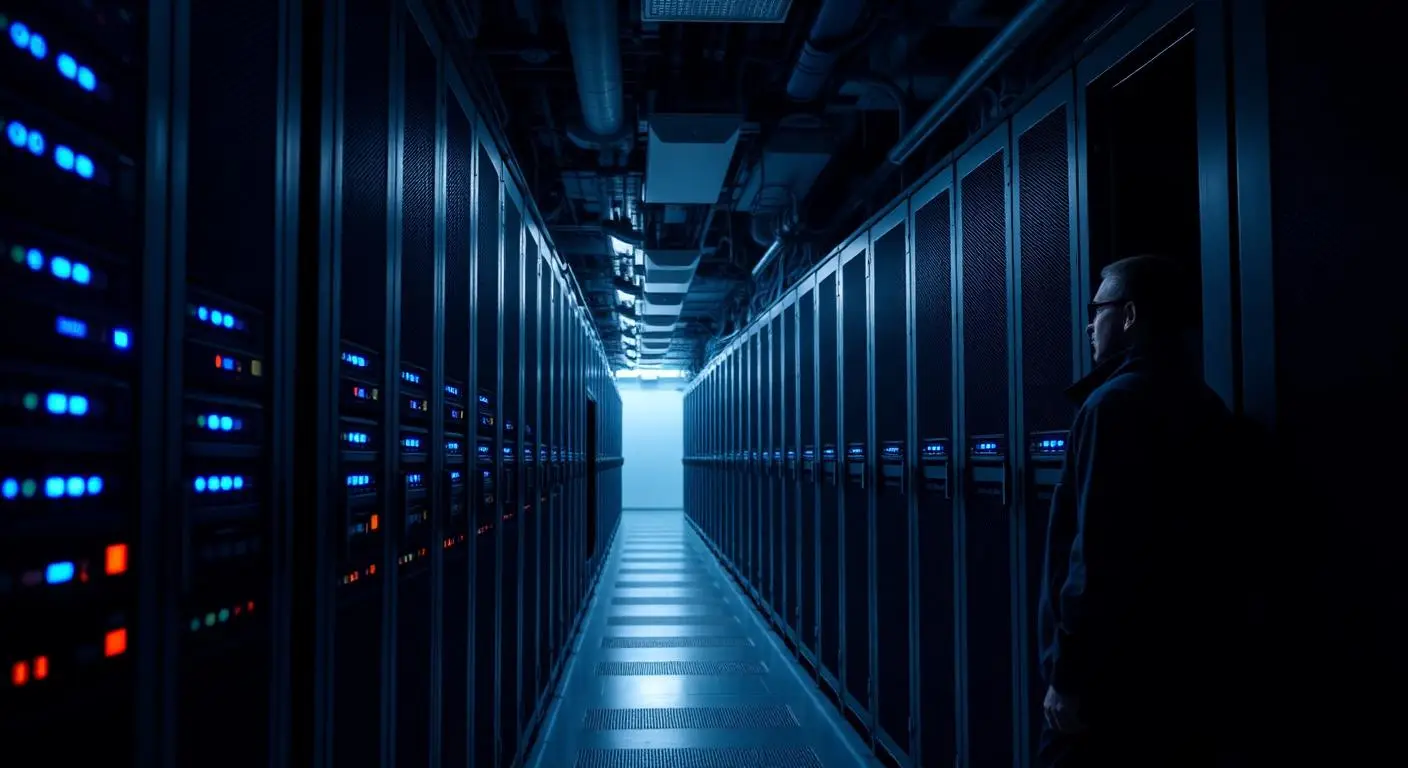
Mayer Networks operates private datacenter infrastructure in Carbondale, Illinois, specifically to run workloads for organizations we manage. It is not rented commodity VPS space marked up and resold. It is designed, operated, monitored and supported by our own engineers.
Step one
Managed client
Users, endpoints and offices we already support day to day.
Step two
Carbondale datacenter
Mayer Networks-operated infrastructure with protected power and multiple connectivity paths.
Redundant compute
Multiple virtualization hosts rather than one server carrying a workload.
Shared storage
Enterprise storage sized for database and application workloads.
Networking
Redundant switching, segmentation between client environments, high-speed connectivity.
Backup
Protected backup architecture designed with the workload, not added afterward.
Monitoring
Hosts, storage, networking and hosted systems monitored by our engineers.
Disaster recovery
Replication and failover capability for workloads that need it.
Built so one hardware failure does not become your outage
One physical server
What a failure looks like today
A traditional small-business server is one machine. When its hardware fails, the business is usually waiting on some combination of the following, in the middle of a working day.
- Replacement parts
- A warranty dispatch
- A restore from backup
- Emergency labor
- Whatever the vendor's response window happens to be
Hosted on shared infrastructure
What changes when the workload moves
In our environment a workload runs on shared, redundant infrastructure rather than on one specific box, and the physical hardware lifecycle becomes our responsibility instead of yours.
- Multiple virtualization hosts rather than a single point of failure
- Enterprise shared storage behind the workloads
- Hardware replacement, warranty and refresh handled by us
- Monitoring on the infrastructure, not just on your servers
- Backup and recovery designed with the environment
No infrastructure is immune to failure and we do not promise otherwise. The difference is that a hardware problem becomes our problem to absorb rather than an outage the business waits out.
The most common reason clients call
Keep the application. Lose the server closet.
Already modernized
- Email to Microsoft 365
- Files to SharePoint
- Collaboration to Teams
Still on a physical server
The accounting system, the ERP, the government application or another line-of-business package that still requires Windows Server. One application is the only reason the hardware is still there, and it carries the power, cooling, warranty and replacement cost of an entire server.
Hosted with Mayer Networks
We host the application environment instead. The hardware leaves the building, the software keeps running, and the organization can modernize around the application on its own schedule rather than being forced into a replacement project it did not plan for.
One team responsible from the user to the server
Infrastructure rented on its own
The platform runs. Everything else is still a coordination problem, and it lands on the customer.
- Cloud provider
- Software vendor
- ISP
- Firewall vendor
- Backup vendor
- Internal IT
- Application support
Hosted inside the managed relationship
The same organization may already be managing every layer in the path a problem travels through.
- Endpoint
- Identity
- Network
- Firewall
- Connectivity
- Hosted server
- Operating system
- Backup
- Application infrastructure
- Vendor coordination
The value is not just where the server runs. It is who takes responsibility when something does not work.
Why not just buy another server?
Sometimes that is still the right answer, and we will say so. But buying the server also means keeping the responsibilities attached to it.
- Capital purchase
- Hardware lifecycle
- Warranty
- Storage
- Virtualization
- Replacement planning
- Backup architecture
- Power
- Cooling
- Physical security
- The next refresh
Hosted infrastructure moves most of that list to Mayer Networks. That is a business decision about where responsibility and capital should sit, not a universal technical verdict about servers.
Why not just move everything to SaaS?
When the application supports it well, SaaS is usually the better answer and we will recommend it. Most organizations should have email, files and collaboration in Microsoft 365 rather than on a server.
The gap is everything else. Plenty of organizations still depend on software that cannot make that move yet, and pretending otherwise just leaves a physical server in the building with no plan attached to it.
Cloud-first does not mean infrastructure-free.
- No SaaS version exists
- The SaaS version is missing features the organization relies on
- The application requires SQL Server
- The application requires Windows Server
- Custom integrations depend on the current architecture
- Replacement is too expensive or disruptive right now
- The system has to stay in place for several more years
Why proximity changes how an application feels
Some applications were written assuming the workstation and the database sit on the same local network. Stretch that conversation across an internet link and the application feels broken even though nothing is.
Application traffic over the link
Local client, remote database
User workstation
Application installed locally
Database server
In the datacenter
Each screen, lookup and report crosses the connection. Latency multiplies with every round trip, and users describe it as the system being slow.
Screen traffic over the link
Hosted desktop beside the database
User workstation
Remote session only
Hosted desktop + database
Same datacenter network
The application and its data talk to each other at datacenter speed. Only the session display travels to the user, which is why database-heavy software often becomes usable over links that could never run it directly.
One environment instead of a server in every building
Applications originally installed on a server at the main office rarely extend gracefully to a second and third location. Centralising the environment removes the branch-office server without removing the application.
Before
A server per site
- Separate hardware, ages and warranties
- Data split across locations
- Backups configured differently at each site
- Branch performance depends on a closet
After
One hosted environment
- One application environment for every office
- Centralised data and reporting
- One backup and recovery design
- Support that looks in one place first
We are not selling raw cloud capacity
Azure and AWS are excellent platforms, and we design workloads onto them when they fit. But most small and mid-sized organizations do not need access to millions of servers. They need someone accountable for the handful of systems the business actually runs on.
Public cloud
Infrastructure at massive scale
Enormous capacity, global reach and a service catalog no regional provider can match. Architecture, security, operating systems, backup, monitoring, cost control and troubleshooting still belong to someone.
Mayer Networks Cloud
Managed infrastructure with a team that knows you
Built for managed clients whose infrastructure has to work as part of the rest of their environment, run by engineers who already understand the users, applications, network and vendors attached to it.
We are not trying to be the world’s largest cloud. We are trying to be accountable for yours.
How Microsoft licensing works in a hosted environment
Mayer Networks participates in Microsoft's Services Provider License Agreement program, so eligible Microsoft software running in our hosted environments can be licensed on a service-provider basis rather than purchased outright.
Windows Server
Licensing for hosted virtual servers running Windows Server workloads.
SQL Server
Licensing for hosted database workloads where the application requires SQL Server.
Remote Desktop Services
Licensing for hosted desktop and published-application environments.
What this can mean for a client
For eligible hosted workloads, a separate perpetual Microsoft server-license purchase may not be required. Licensing can instead be carried within the hosted service where the program allows it, and reviewed as users and workloads change.
What it does not mean
Not every Microsoft product or existing license is eligible, and some licenses you already own may or may not move to hosted infrastructure depending on how they were purchased. Participation in the program covers software licensing only. Microsoft does not own, operate or certify our facilities.
Put each workload where it belongs
We do not default every workload to one destination. Placement is a design decision, made per workload, and revisited as applications and hardware age.
On site
Still right where a workload is latency-bound to local equipment or the existing hardware has useful life left.
Mayer Networks cloud
Right where an application still needs Windows Server, SQL or Remote Desktop and the client wants it managed.
Microsoft Azure
Right where a workload benefits from hyperscale services or an application is built for them.
SaaS
Right where the vendor runs the platform better than anyone else can run it for you.
What the decision weighs
- Application architecture
- Performance and latency
- Security requirements
- Compliance obligations
- Vendor requirements
- Cost over the life of the workload
- Supportability
- Connectivity at each site
- Business continuity expectations
- Where the workload is in its lifecycle
What this environment is not
Being clear about scope saves everyone time. Mayer Networks Cloud is built around managed client workloads, not around selling capacity to anyone with a credit card.
- Shared website hosting
- Public VPS hosting
- Commodity cloud compute
- Self-service infrastructure
- Anonymous hosting
- A public developer cloud
It is intended for workloads connected to organizations Mayer Networks actively supports, where we can be responsible for the whole path from the user’s workstation through the application and the infrastructure underneath it.
What stands behind the environment
- More than 20 years serving Southern Illinois organizations
- Local engineering team
- Carbondale-based infrastructure
- Managed client-only environment
- Microsoft hosting licensing capability
- Enterprise virtualization
- Enterprise backup and recovery
- Disaster-recovery capability
Need a server without owning a server?
Virtual server hosting is for the organization that still needs a server but no longer wants to own and maintain the physical hardware at its location. A hosted virtual server performs the same roles the onsite one did: domain services, application servers, SQL databases, file and print services, vendor-specific servers, web applications, middleware, utility and management servers.
The common case is a five-year-old physical server approaching replacement. Instead of buying another one, the workload moves into our infrastructure. Mayer Networks then manages the compute, storage, virtualization, networking, backup, monitoring and hardware lifecycle underneath it, while continuing to manage the operating system and application environment as appropriate.
It is not automatically the right answer. Some workloads still belong on site, and we say so when that is the case.
- An existing physical server is aging or out of warranty
- The business no longer wants server hardware in the building
- The application still requires Windows Server
- A vendor requires a dedicated server for their software
- Several small servers can be consolidated
- A branch office needs centralized infrastructure
- A server needs to be reachable from more than one location
- The organization wants predictable infrastructure cost instead of capital purchases
Keep the application, retire the hardware
An organization moves email to Microsoft 365, files to SharePoint and collaboration to Teams, and then discovers one application still requires a Windows Server. That single application becomes the reason an entire physical server stays in the building, along with its power, cooling, warranty and eventual replacement cost.
Hosting the application environment breaks that link. The client can retire aging server hardware without abandoning software the organization still depends on, and without being forced to replace a critical application before the business is ready to. Accounting, ERP, practice-management, government, SQL-based, manufacturing, document-management, custom and legacy line-of-business applications all fit this pattern.
- The software vendor has not released a SaaS version
- The SaaS version exists but lacks features the organization relies on
- Migration would be too disruptive right now
- The application is deeply wired into business process
- Replacement is planned, but years away
- The existing server is aging
- Multiple locations need access to the same application
- Users need secure remote access to it
- The application depends on SQL Server or a specific Windows Server version
Put the desktop next to the application
A hosted desktop gives a user a Windows desktop or application session running from Mayer Networks infrastructure rather than primarily from the local computer. Users connect remotely and work with the applications and data available there. It can be delivered as full hosted desktops, Remote Desktop Services sessions, published individual applications, shared desktop environments, or access scoped to a single application.
It is more than putting a desktop in the cloud. The reason to do it is usually specific: staff working from several locations, remote users needing a centralized business application, an application that performs badly over VPN, data that should stay in the hosted environment rather than on endpoints, users moving between computers, centralized control of a desktop environment, contractors needing controlled access, branch offices reaching central systems, or an application that needs to sit close to its database.
Give database applications the infrastructure they actually need
Many business applications depend on SQL Server or another database engine, and databases are demanding in ways generic hosting does not always account for: dedicated memory, storage performance under real query load, backup that matches the recovery expectation, monitoring, licensing, and proximity to the application server.
We design hosted infrastructure where the application and its database are placed together, which is usually the difference between an application that feels fast and one that does not. This matters most for ERP databases, accounting systems, government applications, custom business software, reporting databases and vendor platforms where the vendor specifies a particular server and database architecture.
One application environment for every office
Multi-location organizations often end up with a server, a backup job and a support problem at every site, plus staff who cannot reach the same data depending on which building they are in. Centralizing the application environment in our infrastructure gives every office one place to work from.
That means one environment to support, one backup design, consistent access from each location, fewer branch-office servers to replace on their own schedules, and one conversation with the software vendor instead of several.
Your software vendor supports the application. We support everything underneath it.
A great many line-of-business software vendors still require specific infrastructure, and they are entitled to. We work with the application vendor to provide what their software needs: the Windows Server version they support, SQL Server, storage and memory sized to their guidance, networking, remote access, backup and the security configuration around it.
That keeps the responsibility boundary clean. The software vendor supports the application. Mayer Networks supports the infrastructure underneath it. Neither of us can point at the other, because the environment was built to the vendor's stated requirements and we can show that. This matters particularly for government systems, healthcare applications, accounting platforms, legal software, manufacturing systems and vertical-market applications.
Microsoft licensing for hosted environments
Mayer Networks participates in Microsoft's Services Provider License Agreement program, which allows eligible Microsoft products used in environments we host to be licensed on a service-provider basis where appropriate. In practice that most often covers Windows Server, SQL Server and Remote Desktop Services.
The customer benefit is straightforward: for eligible hosted workloads, a separate perpetual Microsoft server-license purchase may not be needed, and licensing can be carried within the hosted service instead. Not every product or existing license qualifies, and whether licenses you already own can move to hosted infrastructure depends on how they were purchased. We check rather than assume. Participation in the program covers software licensing only and implies no Microsoft ownership, operation or certification of our facilities.
Cloud infrastructure is part of the managed relationship
Mayer Networks Cloud is primarily available to organizations under an active managed-services relationship, or organizations entering one. That is a deliberate design decision, not a sales gate.
When a user says an application is slow, the cause may be the application, the endpoint, the local network, the ISP, identity, the firewall, the server, the database, storage, backup activity or a security control. We are most effective when we can manage the complete technology path rather than being handed responsibility for one isolated component and asked to defend it. Hosting infrastructure for an environment we cannot see would produce exactly the finger-pointing this service is meant to eliminate.
Hosting is where recovery planning becomes real
Hosted workloads are backed up as part of the design, and the same infrastructure gives us somewhere to fail over to. Backup, replication and failover are distinct layers, and which ones a workload needs depends on how long the organization can be without it.
Disaster Recovery & FailoverBackup and disaster recovery are separate services with separate designs. Both are covered in the hosting conversation.
Why Mayer Networks
- Private infrastructure Mayer Networks owns and operates, not a public platform resold under our name
- The same team that manages your users, network, security, Microsoft 365 and vendors manages the infrastructure too
- More than a decade of experience hosting production business and government workloads
- Redundant datacenter capability supporting both hosting and disaster recovery
- Responsive remote and onsite support from engineers based in Southern Illinois, not a queue in another time zone.
- One organization accountable for support, engineering, security, infrastructure and communications.
Security considerations
- Administrative access to hosted infrastructure is restricted and multi-factor protected
- Hosted environments are segmented from one another
- Backup is part of the design rather than an add-on, with recovery tested
- Hosted systems are patched and monitored as part of the service
- Protected power, generator-backed operation and multiple connectivity paths
- Capability described without publishing sensitive architecture detail
Is Mayer Networks Cloud a public cloud service?
No. It is managed private infrastructure for organizations Mayer Networks supports. It is not shared website hosting, public VPS hosting, self-service compute or anonymous infrastructure, and we do not sell standalone virtual machines to customers we do not manage.
Do we have to be a managed client to use it?
Effectively yes. It is available to organizations under an active managed-services relationship or entering one. Infrastructure cannot be managed well in isolation: performance problems usually involve the endpoint, network, identity, firewall, application, database and storage together, and we are only effective when we can see the whole path.
How is this different from Azure or AWS?
Public cloud platforms are excellent, and we design workloads onto them when they fit. They supply capacity at enormous scale; someone still has to architect, secure, monitor, back up, cost-control and troubleshoot what runs there. Here that responsibility sits with Mayer Networks as part of the managed relationship.
Can you host our accounting, ERP or vendor application?
Usually, if it runs on Windows Server or another platform we can support. We review the vendor's infrastructure requirements before committing, and we coordinate with them so they keep supporting the application while we support the infrastructure under it.
What is a hosted desktop and when does it help?
A hosted desktop is a Windows desktop or published application session running in our environment rather than on the local computer. It helps when users work from multiple places, when an application performs poorly across a VPN, when data should stay out of endpoints, or when the application needs to sit beside its database.
Do we need to buy Microsoft server licensing?
For eligible hosted workloads, Microsoft licensing can be provided through Microsoft's Services Provider License Agreement program rather than purchased separately. Some licenses you already own may also be usable depending on how they were bought. We review this rather than assume it.
Is hosting always better than an onsite server?
No. Some workloads still belong on site, particularly where they are tied to local equipment or where existing hardware has useful life left. We evaluate case by case rather than defaulting every workload to the same place.
What happens if the internet goes down at our office?
Hosted systems keep running. Access requires connectivity, which is why internet redundancy is part of the design conversation for organizations that depend on hosted workloads.
Who owns our data?
You do. Hosted data belongs to the client, and exit expectations are addressed in the agreement. Workloads can be migrated back on premises or elsewhere.
Industries that rely on this
Related services
- Cloud & InfrastructurePrivate Cloud HostingMayer Networks operates its own datacenter in Carbondale, Illinois, and hosts private-cloud infrastructure there for businesses and government organizations. It is infrastructure we own, operate and support, not a public cloud platform resold under our name.
- Cloud & InfrastructureVirtual Server HostingVirtual server hosting places your file, application, database or domain servers on Mayer Networks' enterprise virtualization platform, with storage, backup, monitoring and support included.
- Cloud & InfrastructureLegacy Application HostingMany organizations depend on software that cannot move to SaaS right now. Mayer Networks can host appropriate legacy applications in its private cloud so you can retire aging physical servers while you plan application modernization properly.
- Cloud & InfrastructureVirtual Desktop HostingVirtual desktop hosting delivers a full Windows desktop or published application from Mayer Networks' private cloud, so staff get the same secure workspace whether they are in the office, at another site or working remotely.
- Cloud & InfrastructureDisaster Recovery & FailoverBackup answers whether the data can be recovered. Disaster recovery answers how the organization keeps operating when production is unavailable. Mayer Networks' Carbondale infrastructure can serve as a disaster-recovery and failover destination for customer workloads that require replicated recovery capability.
- Managed ITBackup & Data ProtectionMayer Networks protects critical business and government systems with managed backup, protected offsite copies, restore testing, and disaster-recovery options designed around how quickly the organization needs to recover. For organizations that cannot tolerate extended downtime, we can go beyond backup and design replication and failover so critical workloads stay available even when production infrastructure is not.
- Cloud & InfrastructureMicrosoft 365Mayer Networks helps organizations across Southern Illinois deploy, administer, secure, support and continuously manage Microsoft 365. That includes email, Teams, OneDrive, SharePoint, licensing, identity, security, migrations, governance and day-to-day support for the users who depend on it.
- Managed ITManaged IT ServicesMayer Networks provides ongoing managed IT services for businesses, government agencies, nonprofits, healthcare organizations and other organizations throughout Southern Illinois. Our managed IT model provides proactive technology management, 24/7/365 support, monitoring, cybersecurity, infrastructure management, Microsoft 365 administration, backup, vendor coordination, documentation, lifecycle planning and strategic guidance. There are two ways to work with Mayer Networks: Fully Managed IT or Co-Managed IT.
Let's talk about your technology
Tell us what you are running and what is not working. We will tell you plainly what we would do about it.